GoComet
Making airline cargo management simple, seamless, and efficient.
GoComet is an AI-powered supply chain platform trusted by hundreds of customers, including several Fortune 500 companies. The team is now expanding into aviation tech, building a next-generation air cargo management platform.
My Role
I Led the design effort of the product from Ideation to Final Delivery
🔬 User Research & Problem Discovery
Conducted 30+ calls with the AirAsia team to identify pain points, friction areas, and understand their expectations for solutions
📈 Competitor Analysis
In the aviation tech environment, there are very few players. I analyzed the existing product used by the AirAsia team, thoroughly noting what worked well and what didn’t.
🗒️ IA, User Stories & User Flows
To ensure a seamless user experience, I worked on IA during the early stages, created user stories to step into the users’ shoes, and mapped user flows to identify friction points.
🗂️ Design System
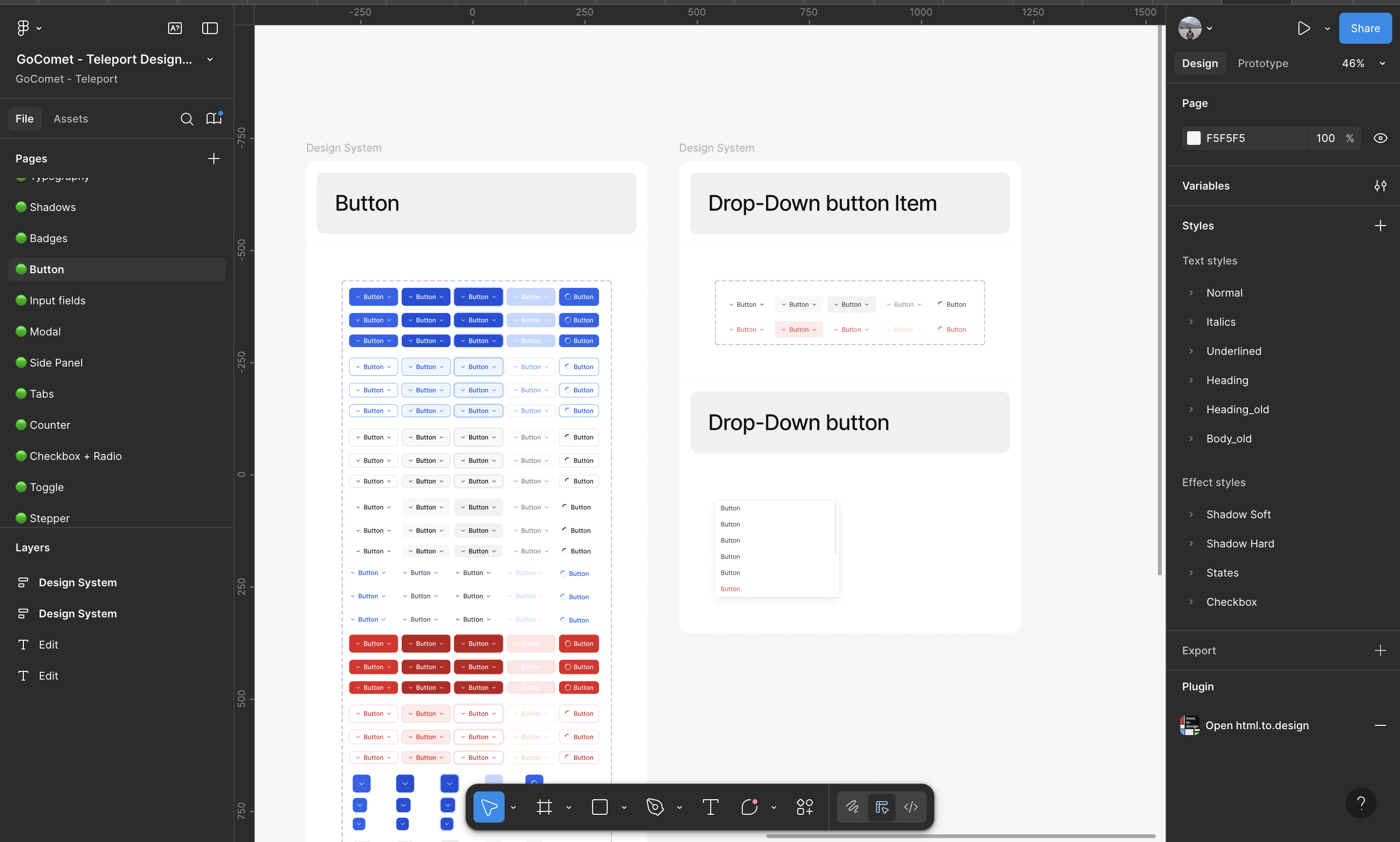
Despite tight deadlines, I maintained a design system to reduce long-term pain points and ensure consistency across the product.
🍥 Wireframing & Visual Design
Since Phase 1 had to launch quickly, there wasn’t much room for exploration. I rapidly iterated from low- to high-fidelity wireframes for key workflows.
💯 Pixel-Perfect Execution
Worked with UI developers to review every module shipped, raising and resolving issues to ensure pixel-perfect execution.

What is the problem
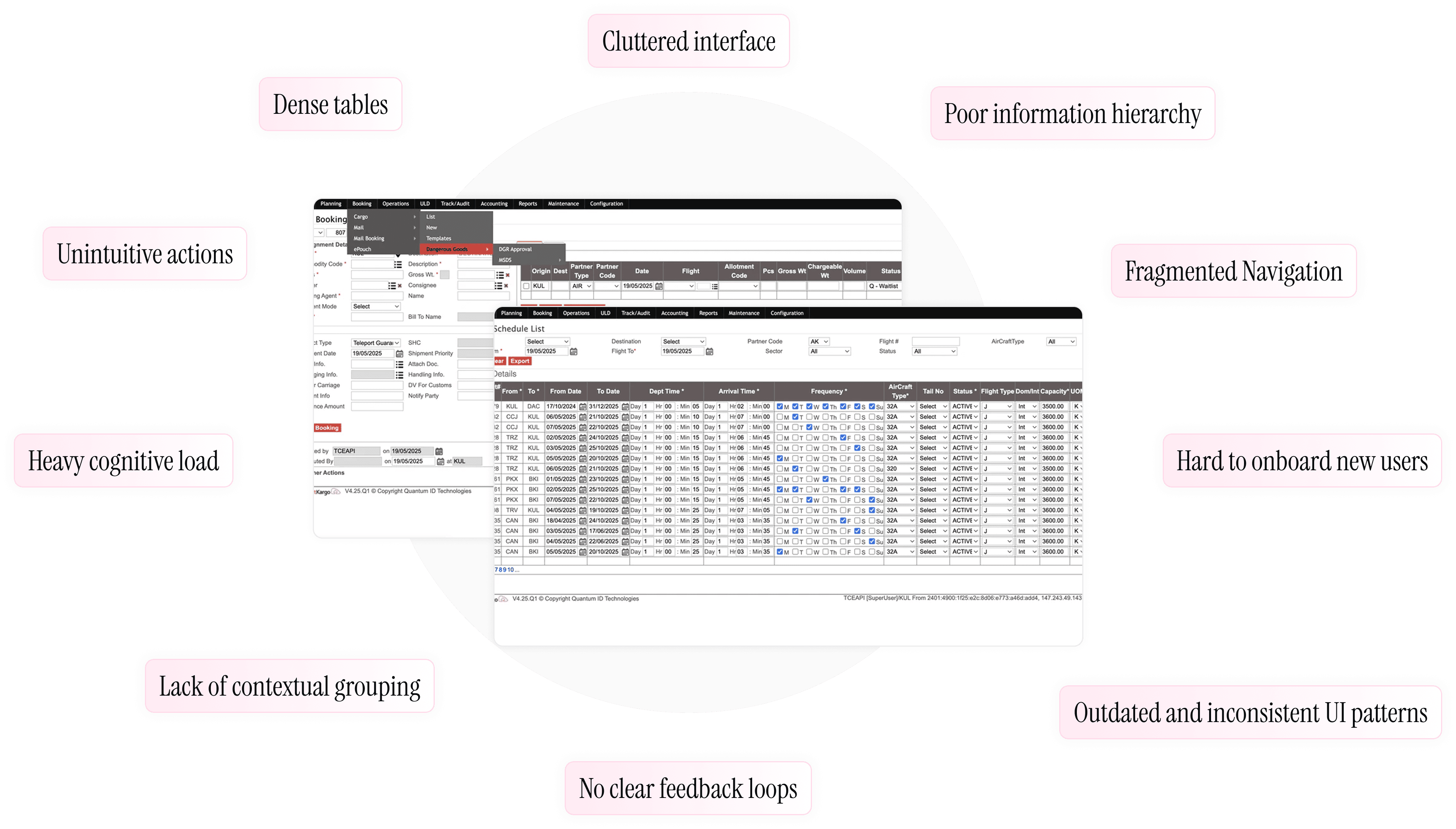
Air cargo management is operationally intense — involving multiple teams, roles, and workflows that need to stay tightly coordinated. Linking and executing these tasks seamlessly is a major challenge. Even though AirAsia (POC) already uses an existing product, it’s outdated, overwhelming to use, and lacks the flexibility to manage agents, internal users, and bookings effectively. Our vision is to build a next-generation air cargo management platform that makes the entire journey — from planning to delivery — intuitive, connected, and hassle-free
Design Direction
Making Data Effortless to Read
The previous system was dominated by dense tables, inconsistent formatting, and little visual hierarchy, making even basic scanning difficult. The redesign focuses on clarity and structure, ensuring users can absorb key details quickly. Information is visually organized, supported by clear signals that make understanding effortless instead of cognitively heavy.
Simplifying How Data Gets In
A large part of the workflow involves adding or editing data, which was previously overwhelming and procedural. The new approach breaks down complex inputs into manageable steps, making interactions lighter and more intuitive. Instead of navigating long, cluttered forms, users can move through guided flows that keep them focused and reduce errors.
Enabling Confident Decisions
Many operational tasks involve high-stakes actions like replanning or adjusting capacity. Earlier, these actions were scattered and hard to follow. The redesign makes them contextual, focused, and predictable. Users can act with confidence, staying oriented within their workflow without getting lost or overwhelmed.
Making the System Feel Predictable
Every interaction should leave the user with a sense of clarity. The redesigned experience provides clear feedback at every step, making system behavior easy to understand and trust. Users always know what happened, what’s next, and what matters — turning a rigid, opaque interface into something fluid and dependable.
Design Process
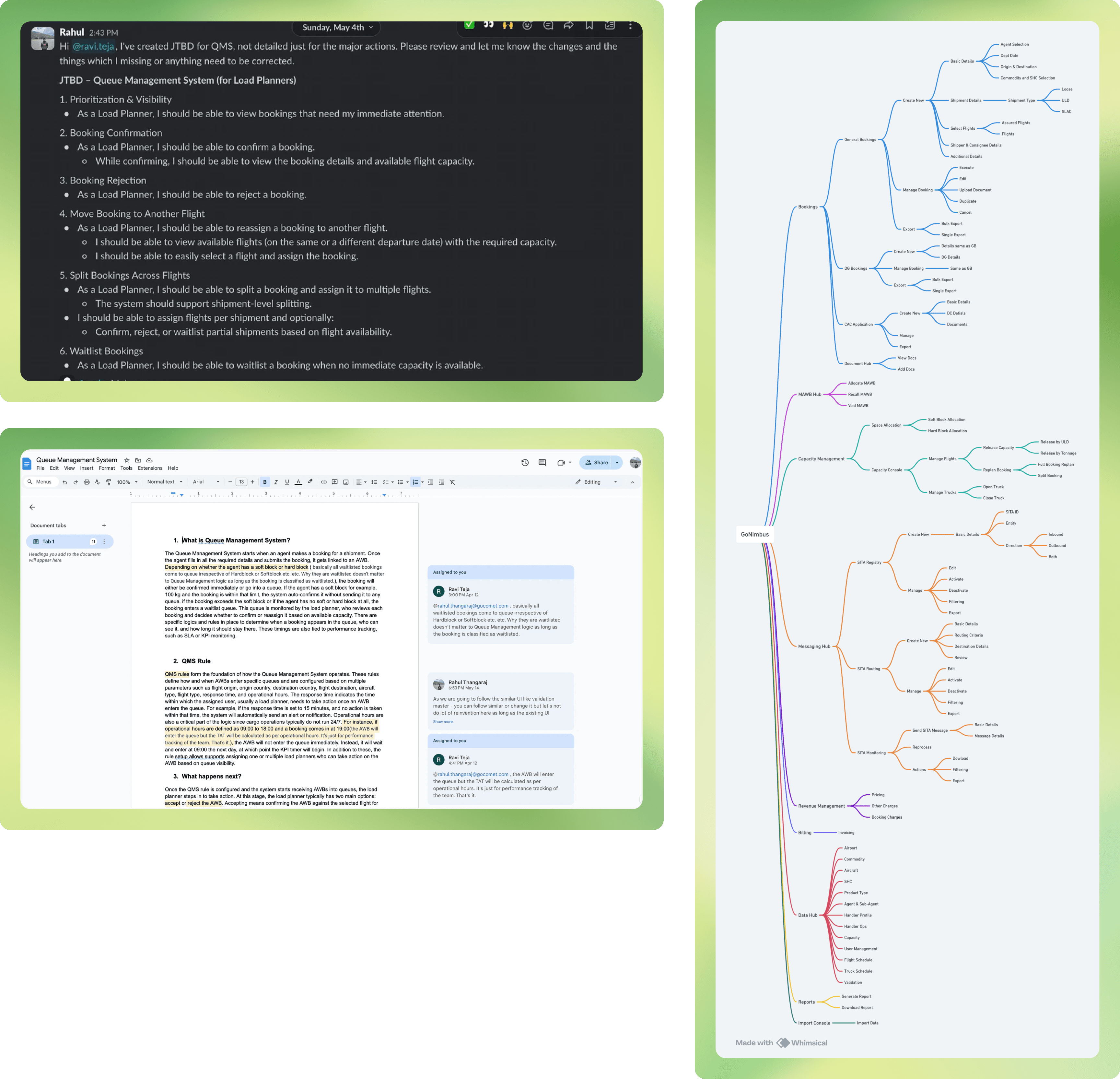
Since we were solving a complex problem, it was important to understand it end to end. Creating the IA, User Stories, JTBDs, and User Flows helped me do that — and also made it clear what flows and edge cases needed to be covered.
Design System
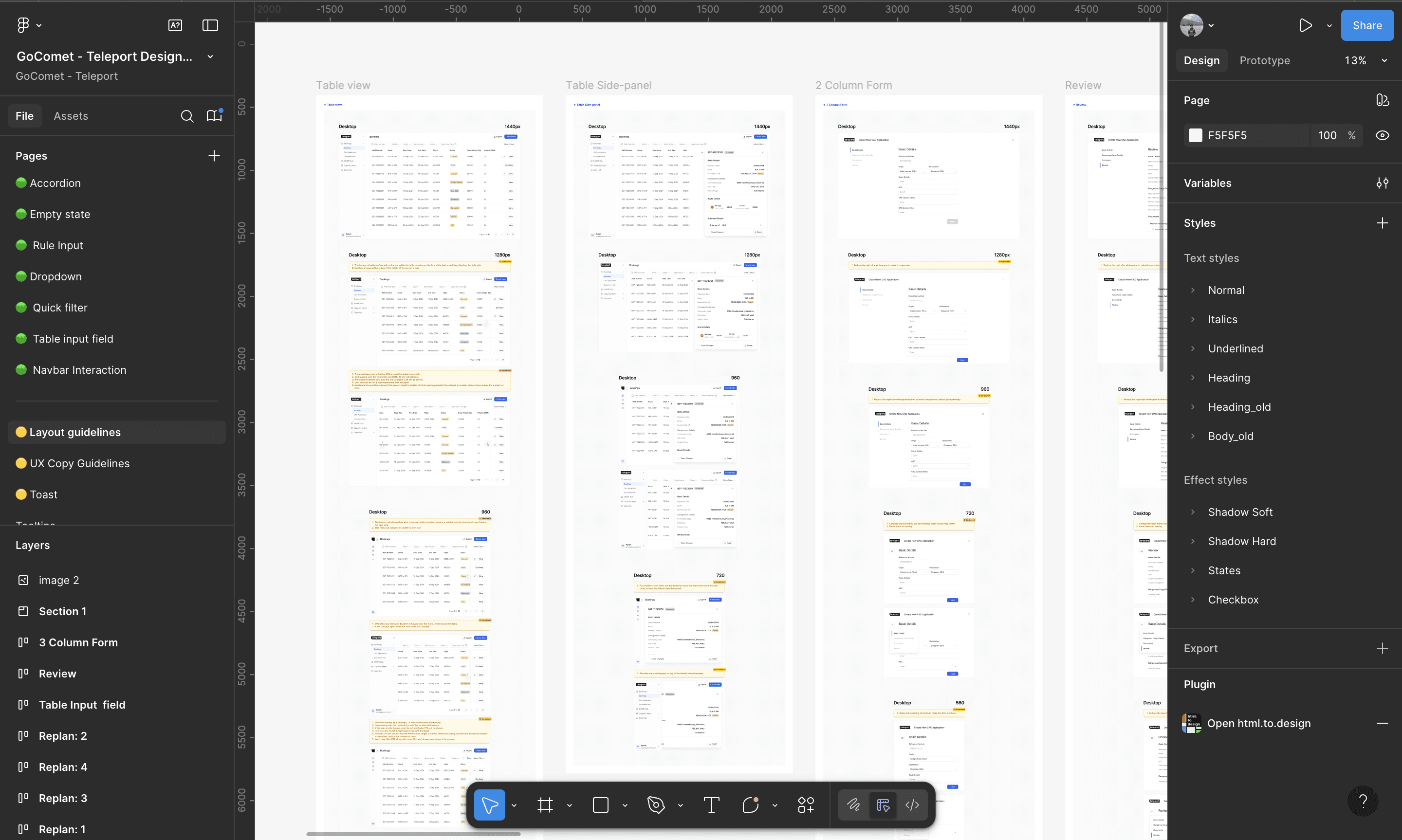
Even with the tight deadlines we were we did not proceed without the having the design system, we pushed ourselves and started basic and later we scaled after the phase on launch also equal importance have been give to the responsiveness design. We closely worked the front-end team and made sure pixel perfect execution
UI Layout

Landing View
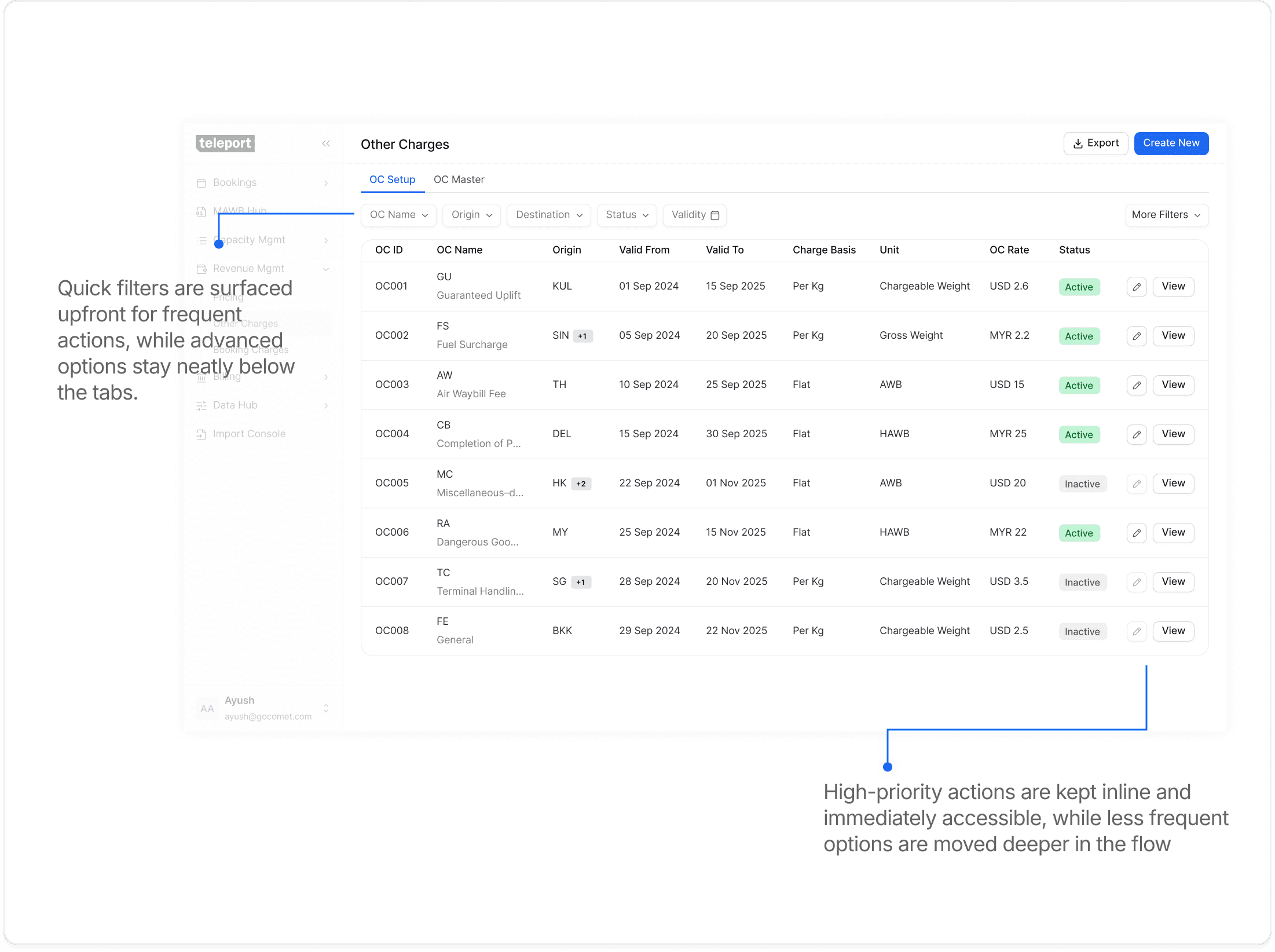
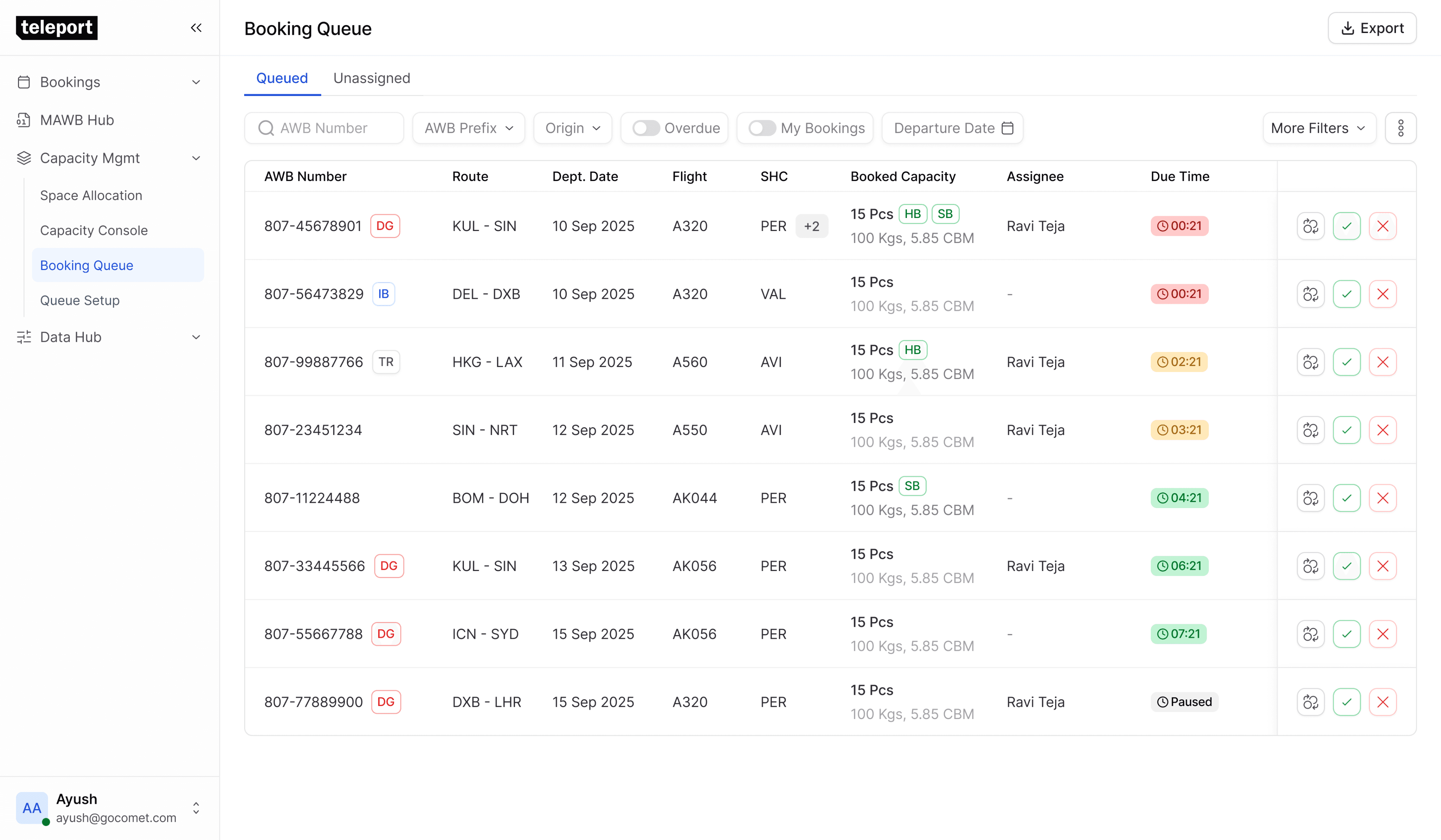
This layout is consistent across all modules. Each view follows the same structure — key data upfront, quick and advanced filters layered smartly, and primary actions placed at the top. Depending on complexity, interactions open in a side sheet for simple tasks or a full view for deeper workflows. This creates a predictable rhythm across modules, making the product easy to navigate and faster to use.

Forms
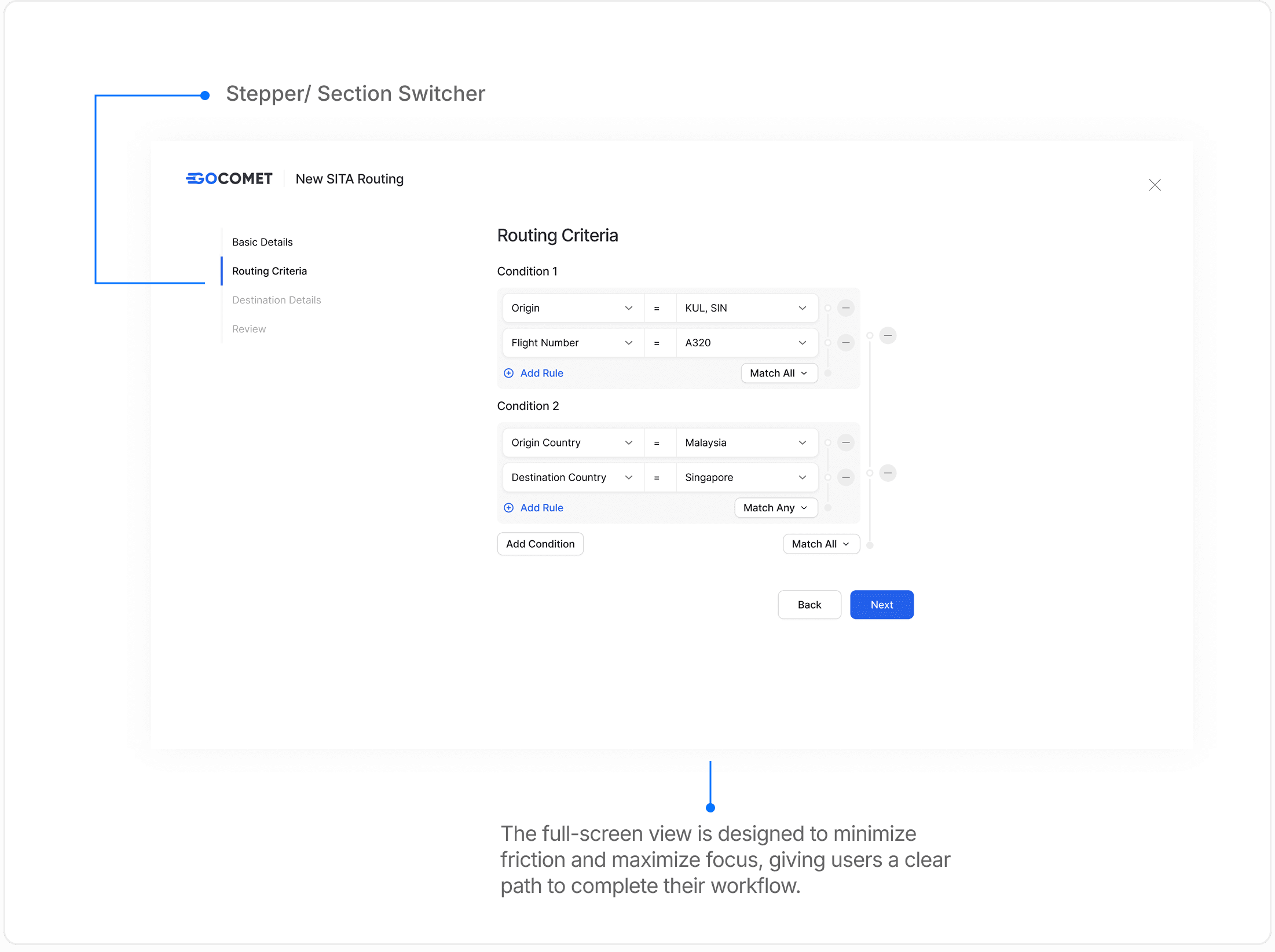
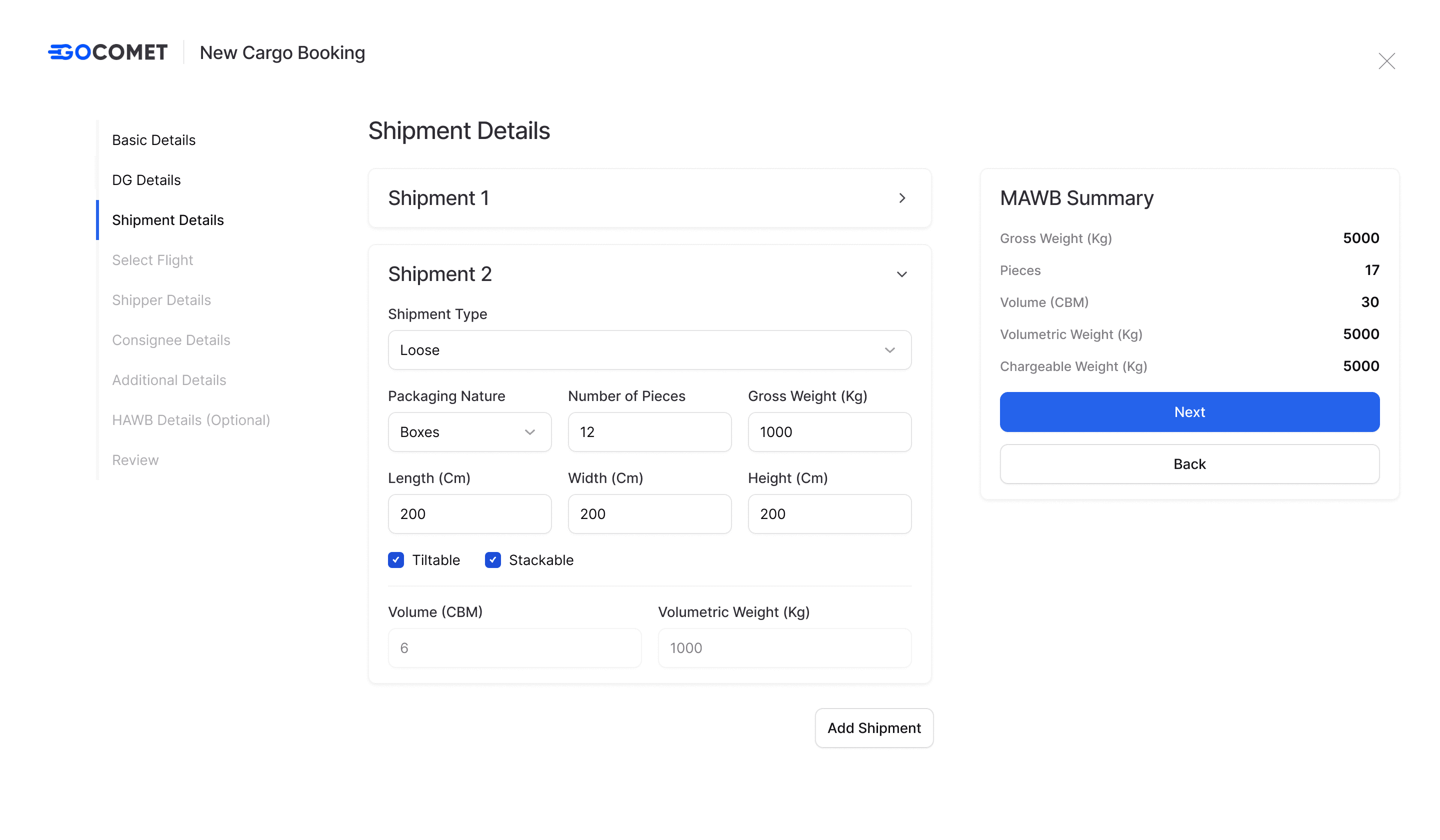
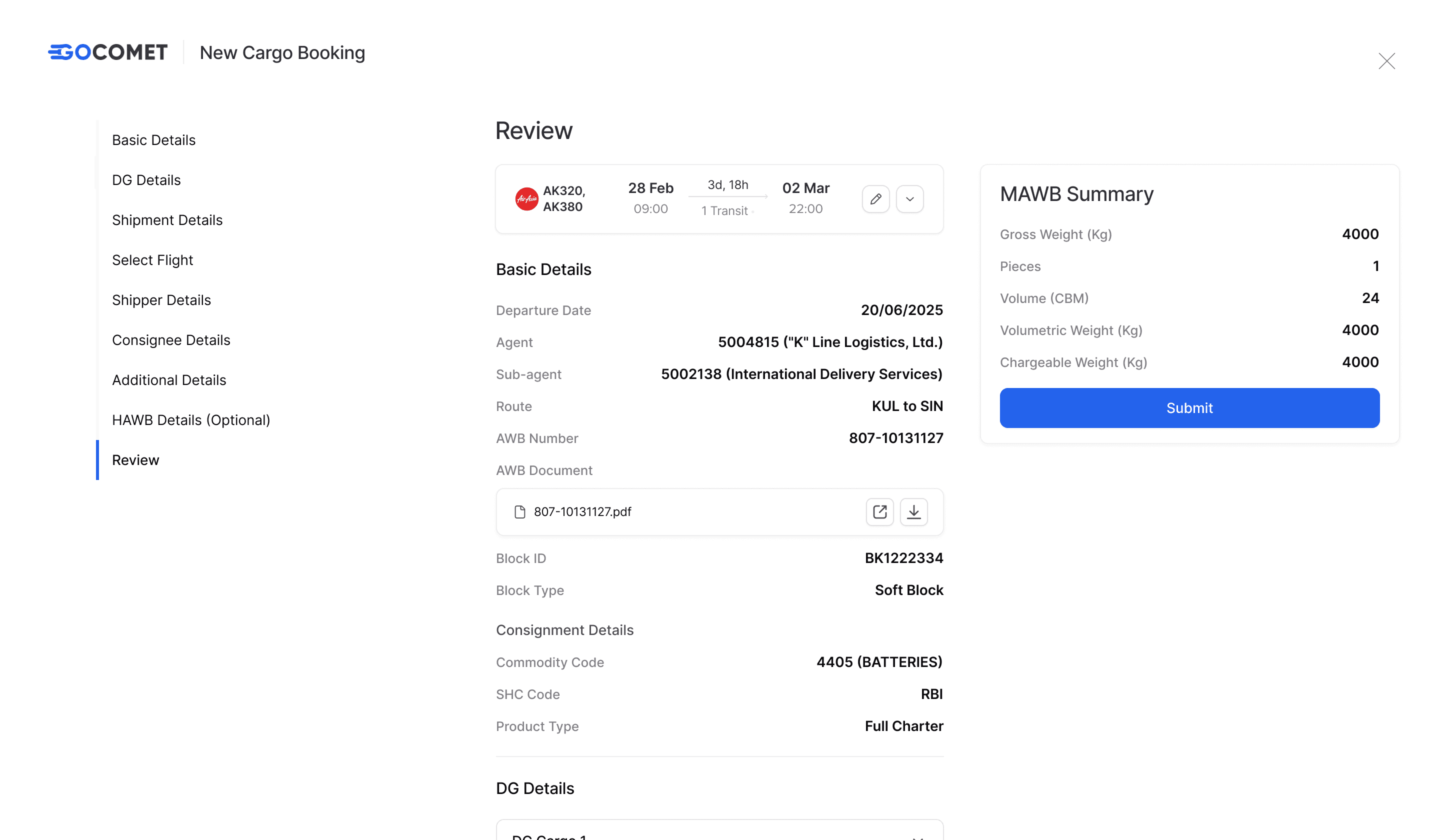
Since this is a data-heavy product with multiple modules requiring users to fill in a lot of information, the process can easily feel overwhelming. Our goal was to keep it simple and intuitive while ensuring the right data is captured. To do this, we grouped related fields into clear sections, allowing users to move through them step by step. The final step is a review screen where they can double-check everything and confirm with confidence.

Side Sheet
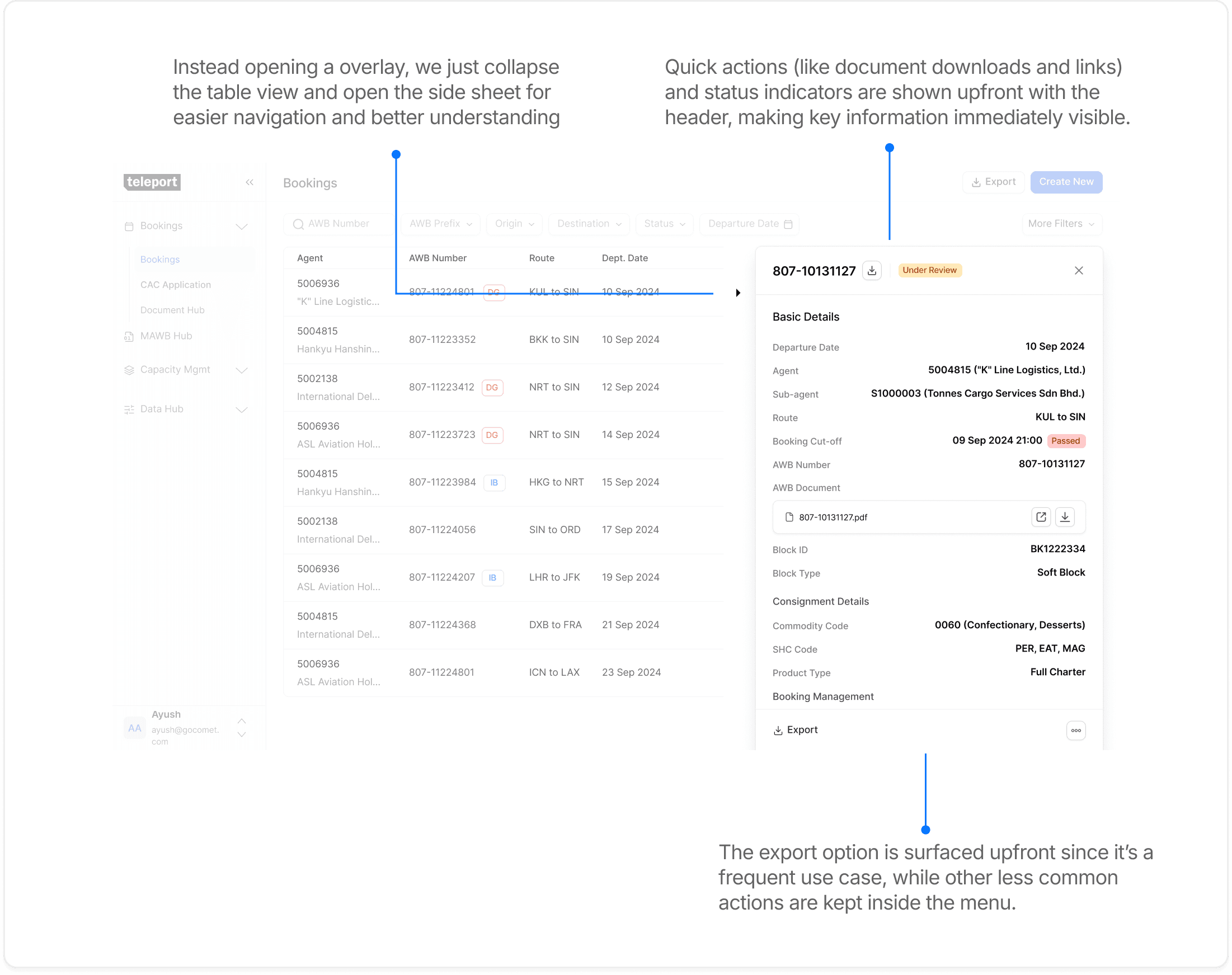
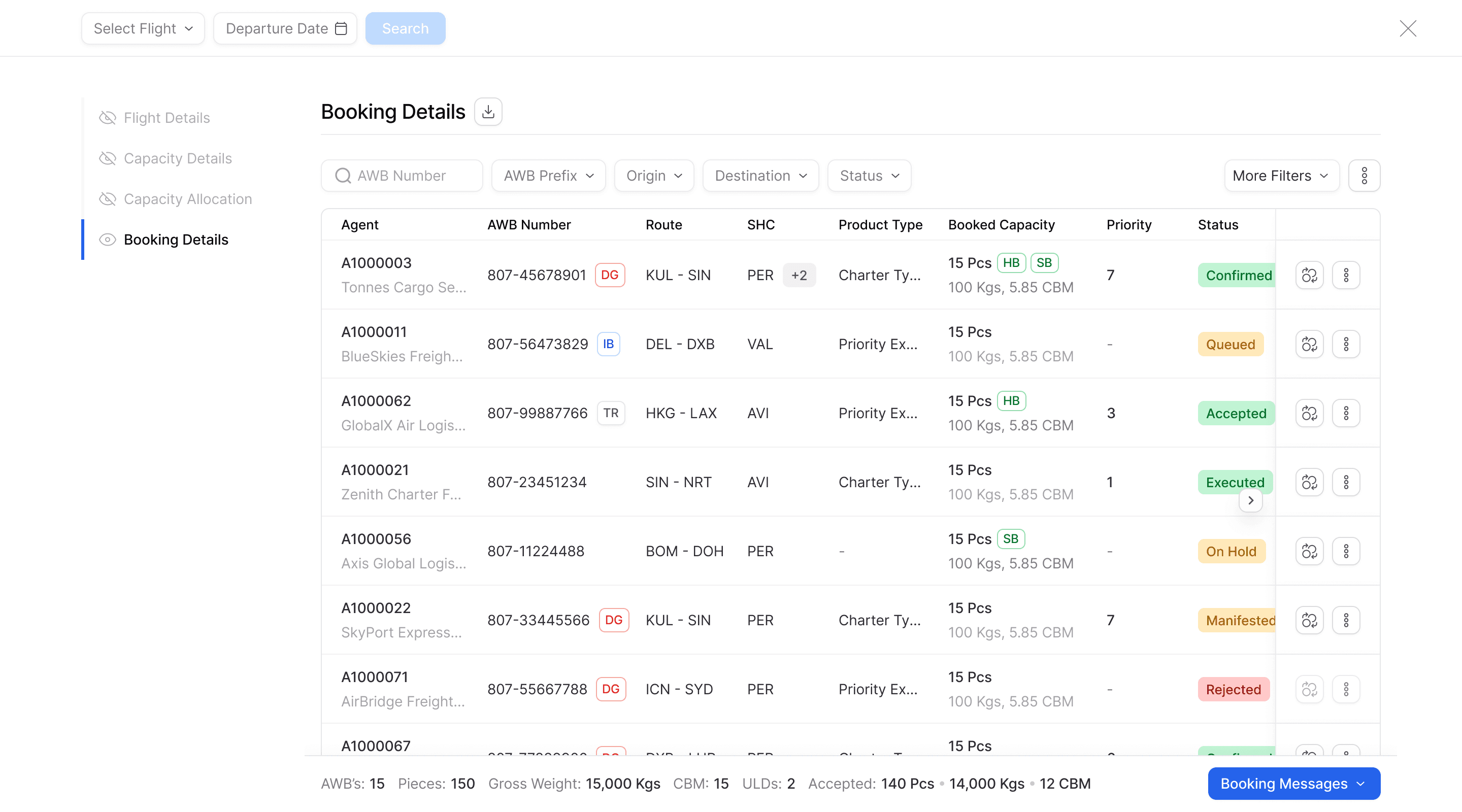
The side sheet view is used across most modules to keep interactions lightweight and focused. It allows users to consume information quickly, take action in context.

Full-Screen view for Data-Heavy Sections
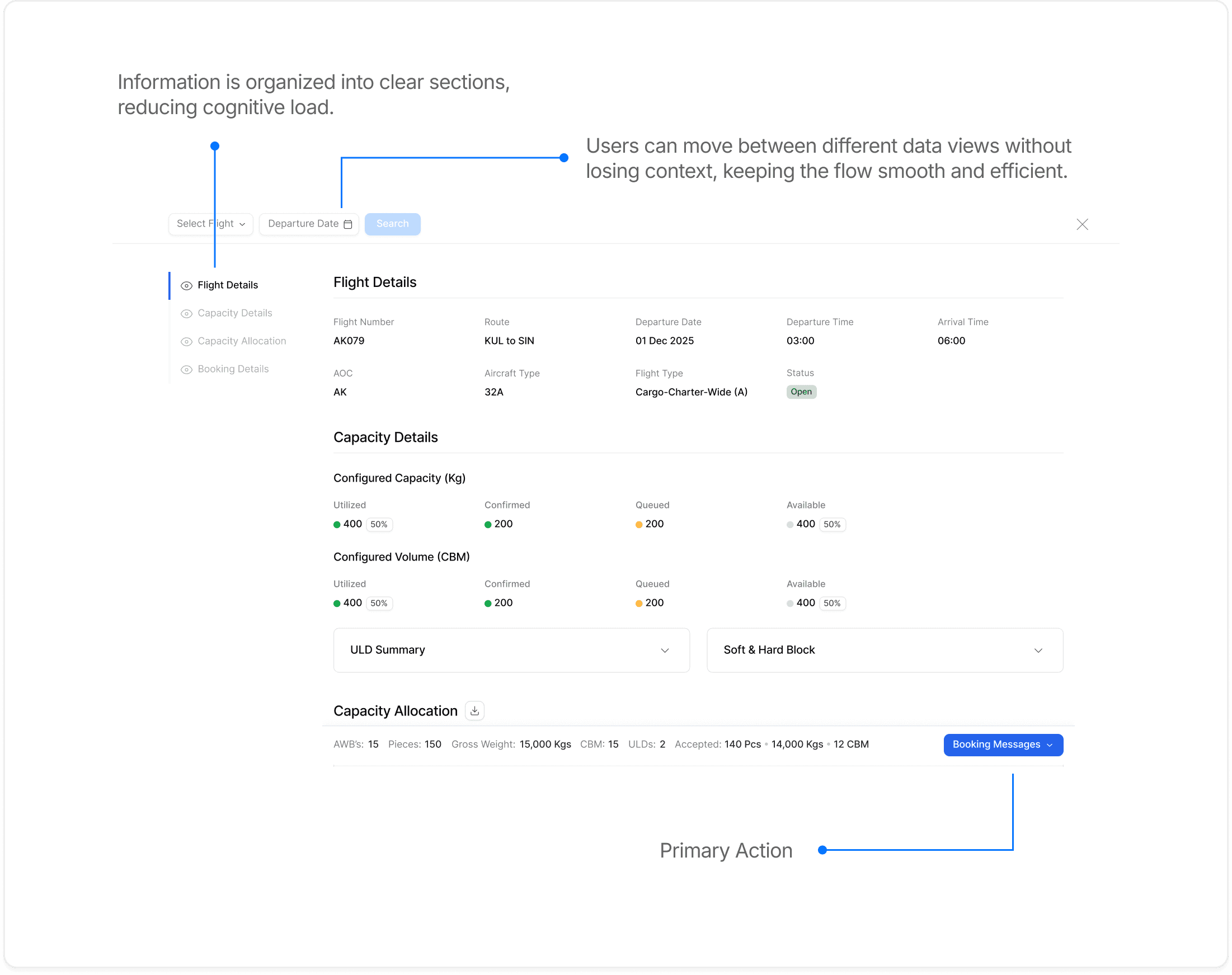
The layout groups related information logically, allowing users to navigate and process data with ease. Contextual switching makes it effortless to move between sections, while primary actions stay in predictable locations

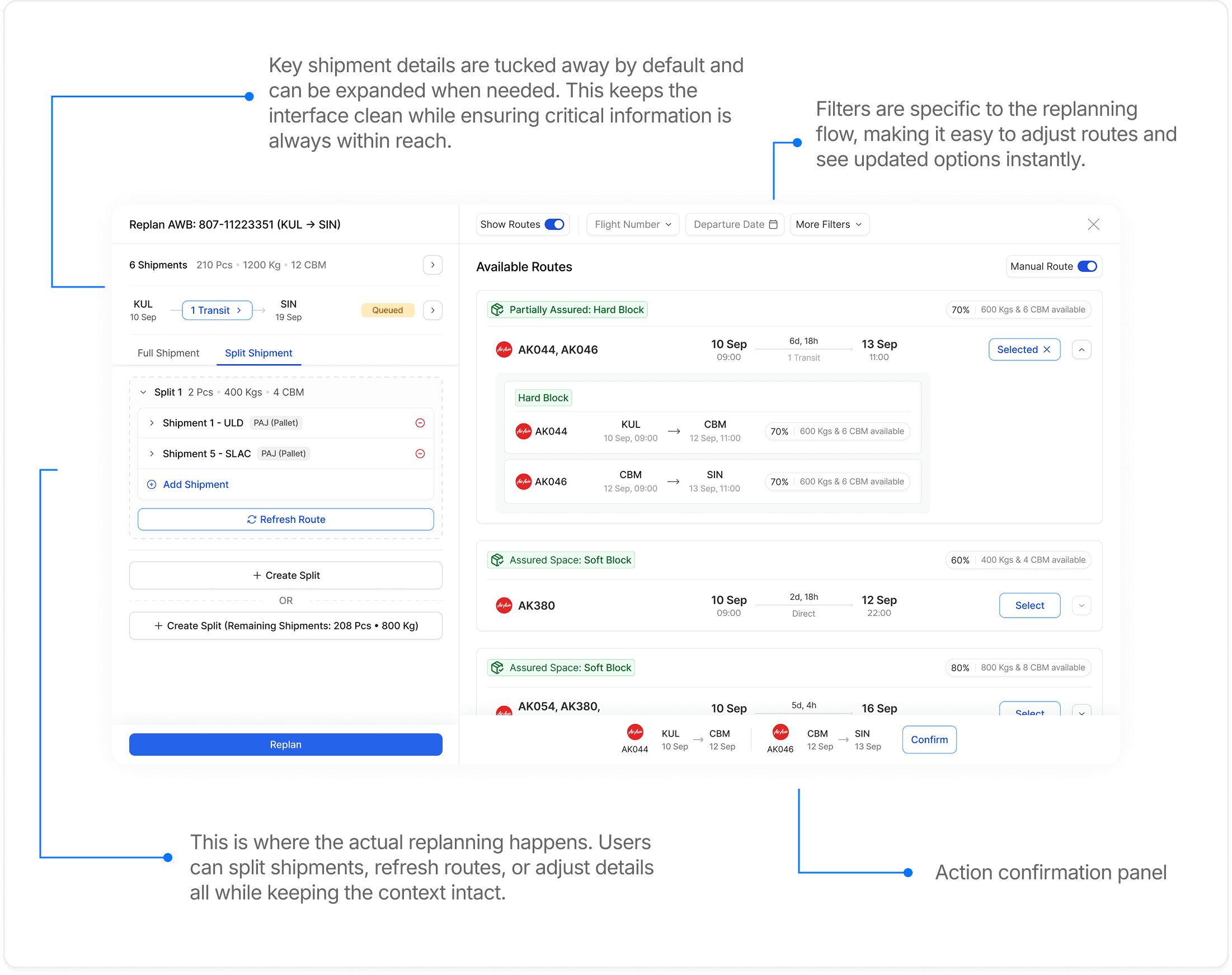
Multi Action Workflow View
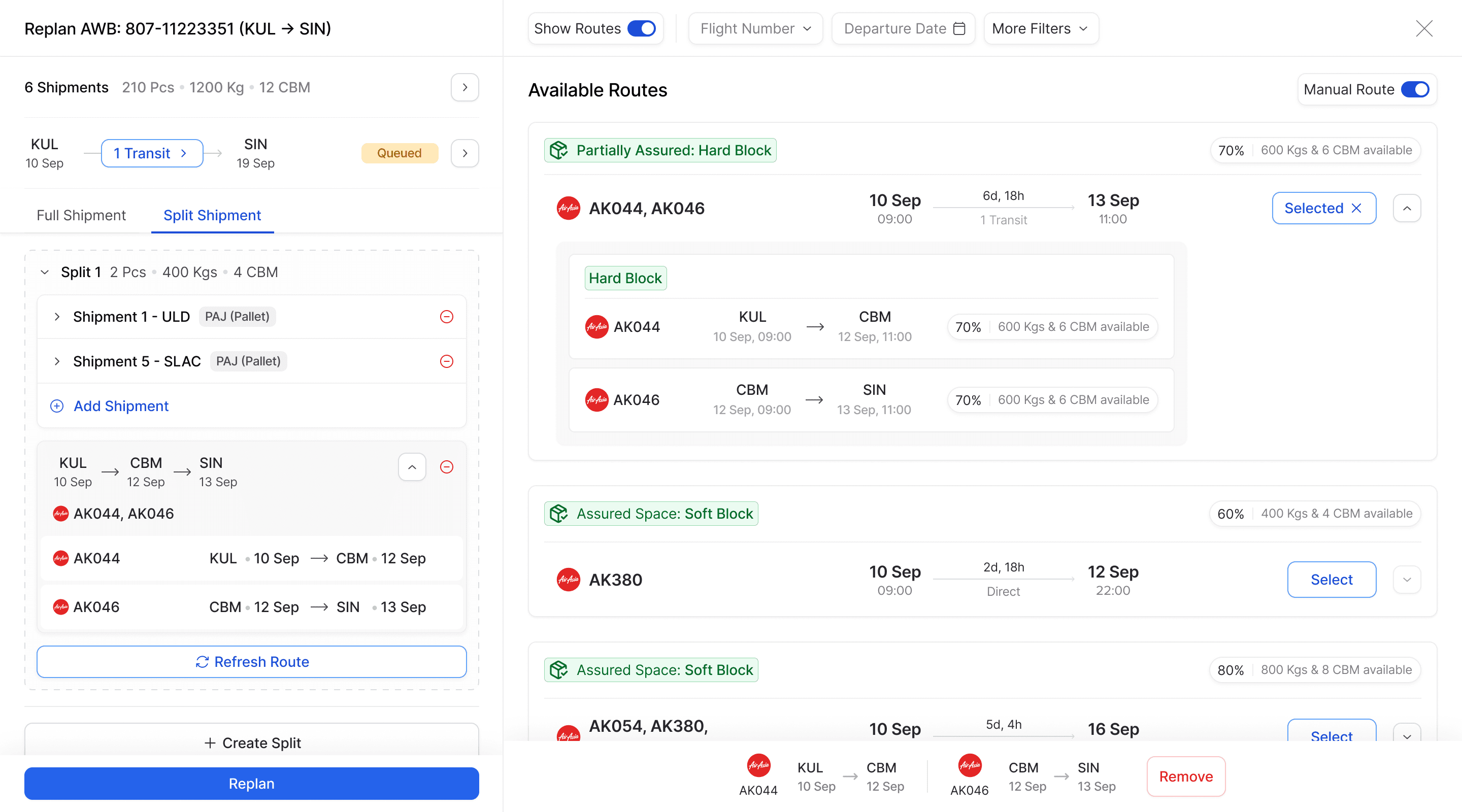
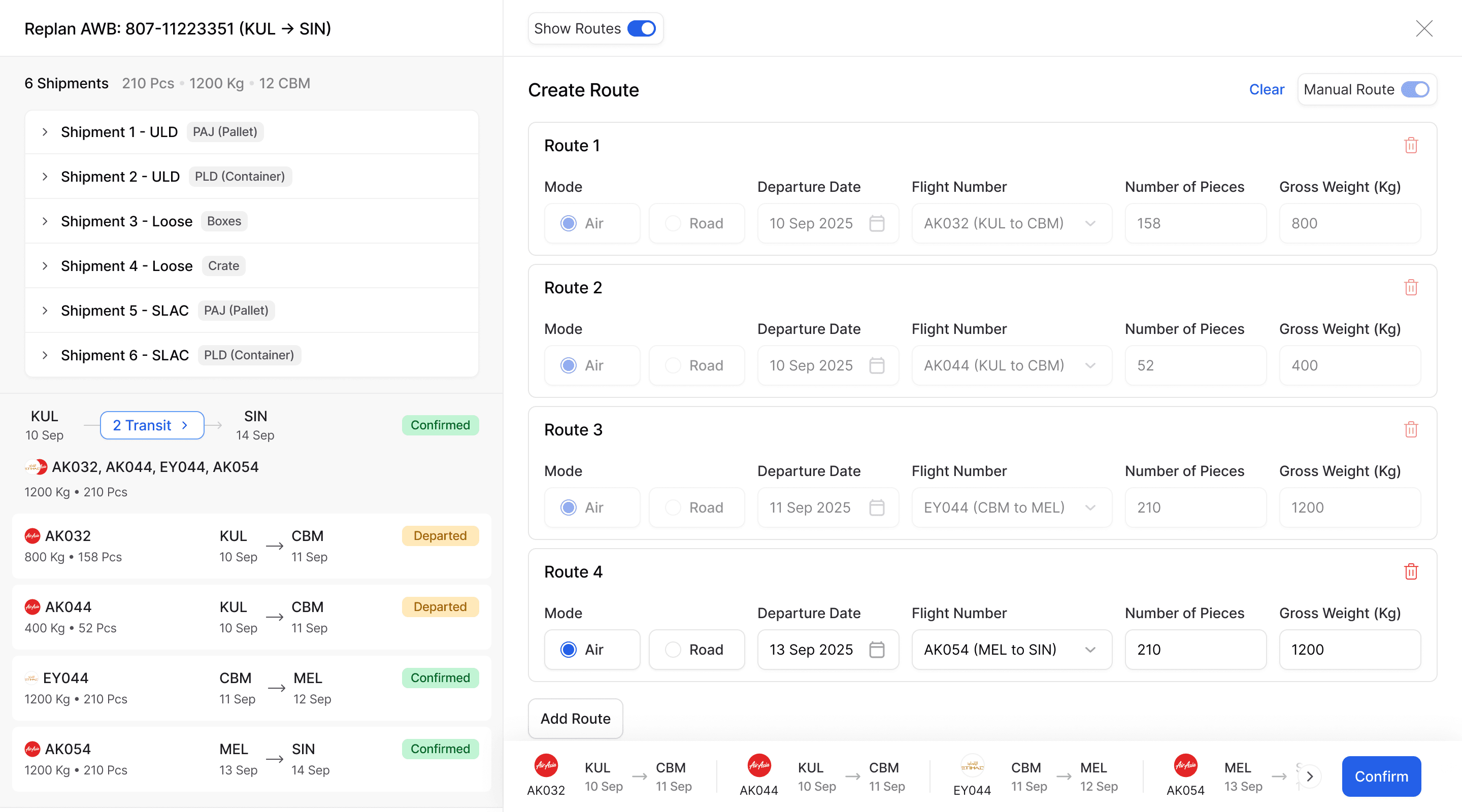
This section is designed for complex workflows like replanning shipments or creating and updating manual routes. It brings all the necessary data into view for better context and supports multiple actions such as adding shipments, creating splits, refreshing routes, and confirming plans. The goal is to make it easy to consume information and act confidently without confusion.
Final Designs
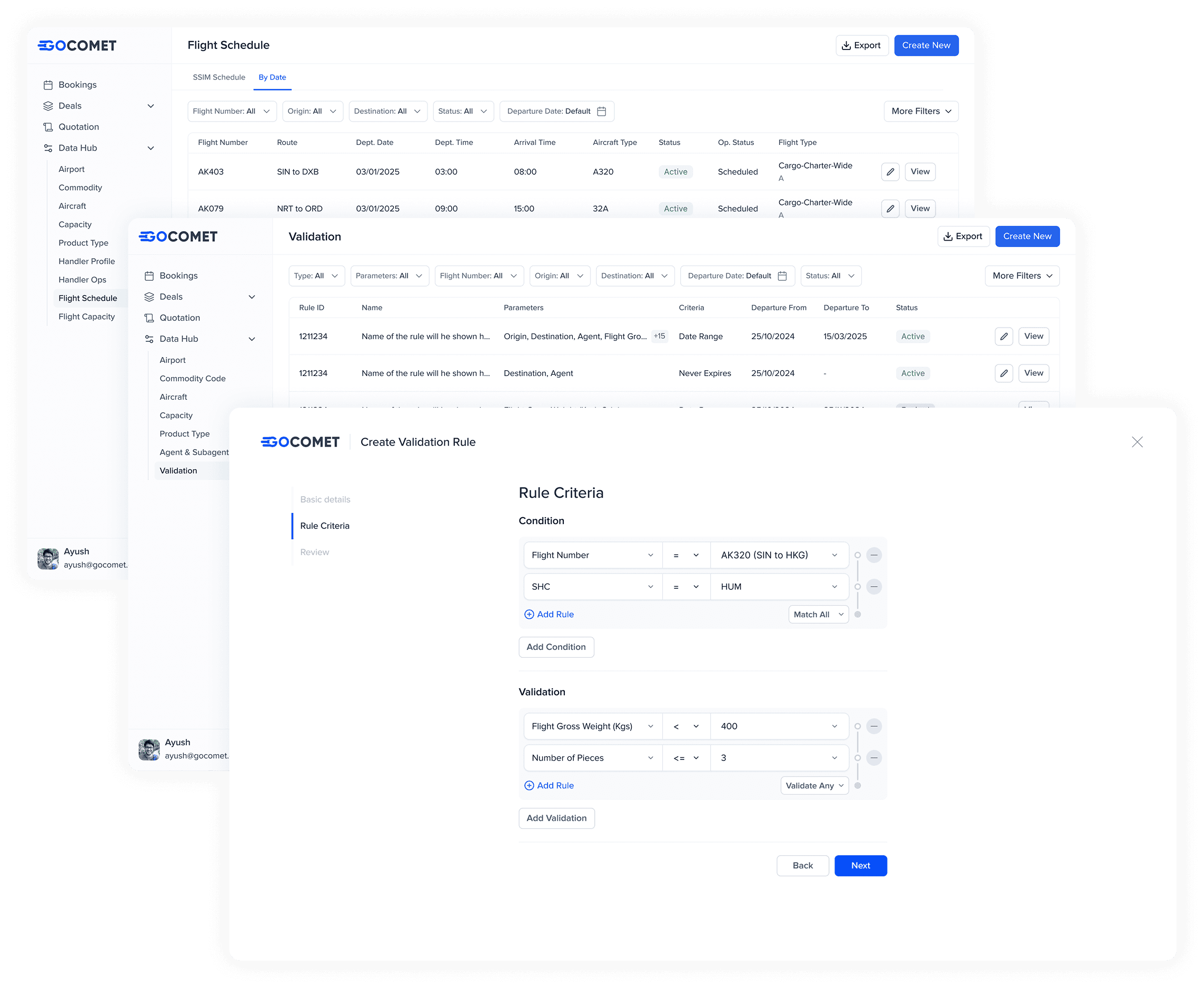
Master Data
This is the backbone of the platform. It includes key information like airports, aircraft, handlers, and validation rules. Everything else builds on top of this — capacity gets allocated based on these data points, and agents use it to make bookings and run their day-to-day workflows.
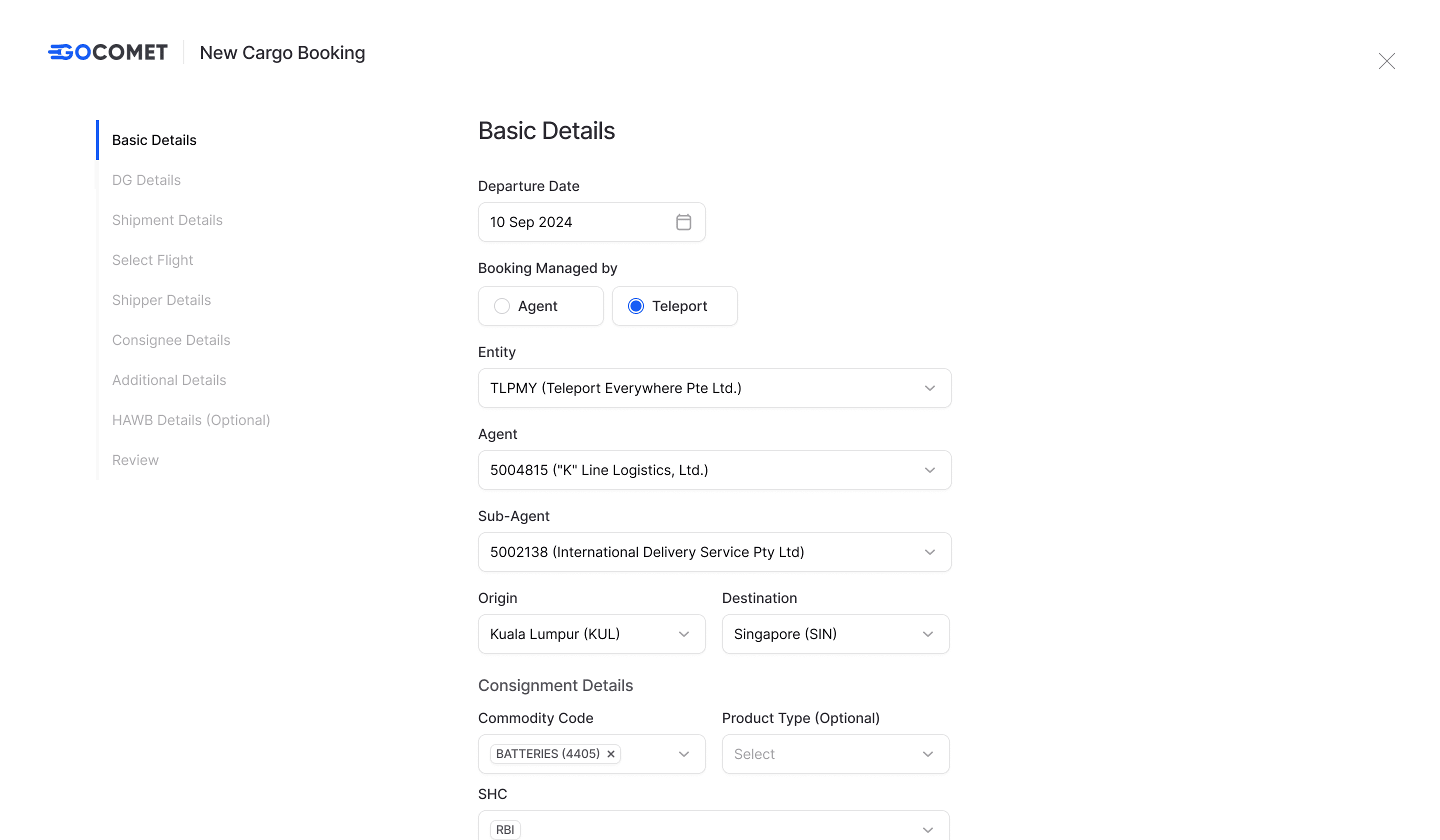
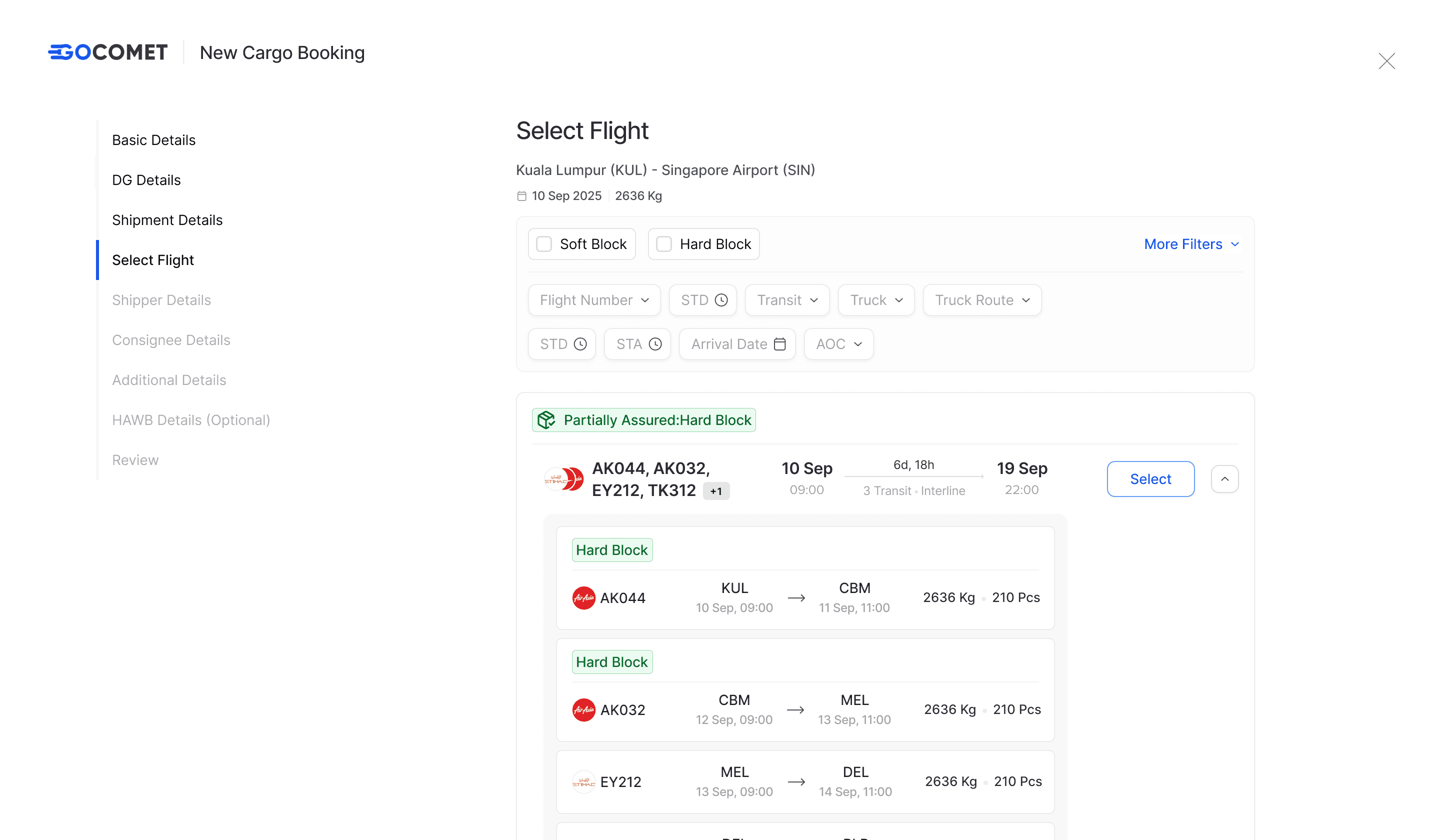
Booking
Once the rules and validations are applied, the booking gets categorized (General Cargo, Dangerous Goods, etc.) and the right details are captured automatically. Depending on capacity, it either gets confirmed or moves to a waitlist.
Manage Booking & Capacity
This part is mostly for load planners. Here they can accept or decline bookings, replan or split them, and open or close flights depending on the operational situation. It’s where most of the key actions happen.
To Sum it up!
This was by far the most demanding product I’ve worked on — complex problems, tight timelines, and constant collaboration across teams. It pushed me to think deeper, stay composed, and design with speed and clarity. I’ve grown a lot through this journey, and I’m really grateful for it.